
Home/Trucking dispatch software
Dispatch
Dispatch and load management, on one screen.
Store every load with its broker, rate con, stops, driver, truck and paperwork, and track it from booked to delivered to paid. Upload the rate con and RIZE fills the load in for you. Drivers send the signed BOL (POD) from their phone, and the invoice is one click away.
- Ten statuses, each its own colour
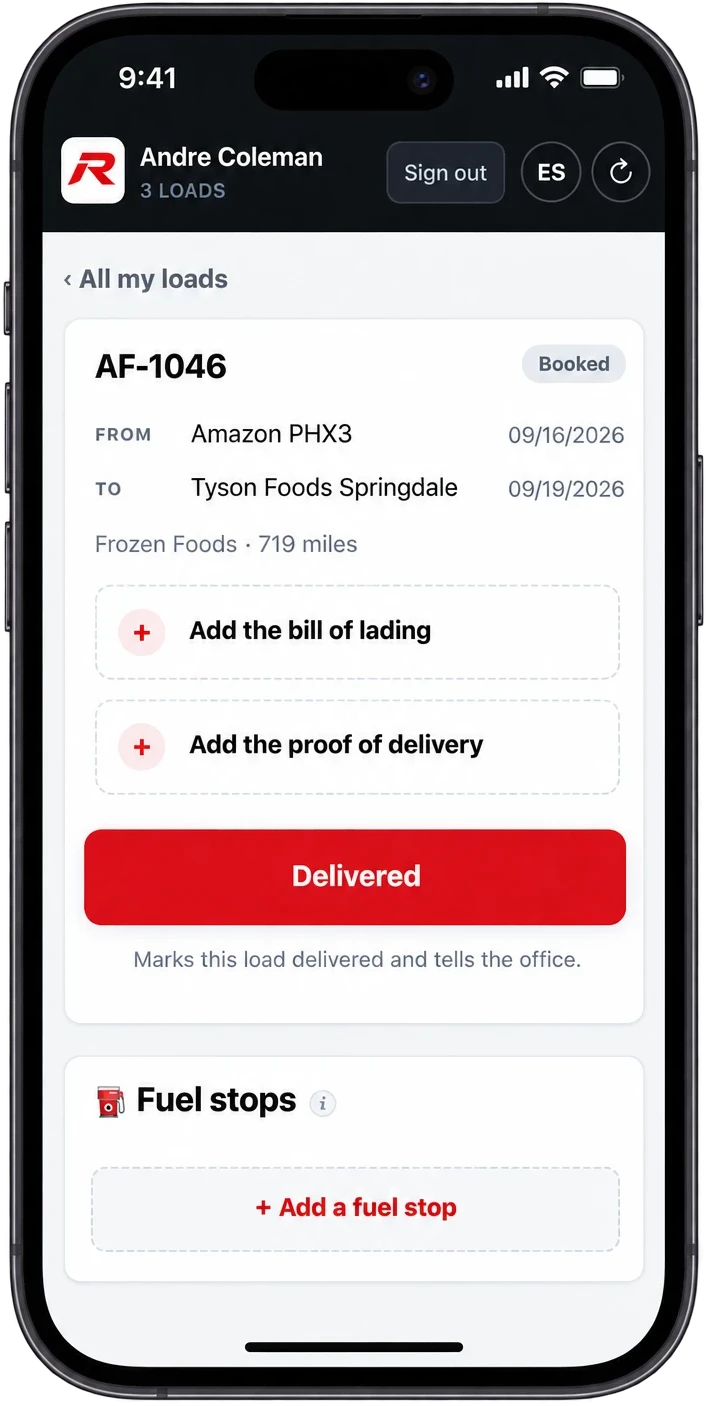
- Driver phone view
- $39/mo, unlimited trucks
The Loads list
Where everything is, at a glance.
Each load moves through Booked, At Pickup, In Transit, At Delivery and Delivered, then on to Invoiced and Paid in Full. TONU and Cancelled are there too. Every status has its own colour, so a glance tells you what needs a call.
- Filter by driver, truck, broker or status
- Pick several loads and change their status together
- 36 fields per load, with only the ones that matter now showing

DriversOPTIONAL
The driver's half, on their phone.
Drivers see only their loads, and get told when a new one is assigned. From the dock they send the bill of lading and the signed POD as photos and mark the load delivered. Fuel stops go in the same way.
Everything they send lands in Driver Submissions for the office to check before it's filed, so a blurry photo doesn't slip onto an invoice.
What's on a load.
A booked load asks for what you know at booking. Billing appears once it's delivered, and getting paid once it's invoiced.
The booking
Your load #, the broker, their load #, the rate con #, and the rate con itself attached.
The stops
Shipper and receiver from your saved list, any pick-ups and drop-offs in between, the dates, commodity, weight and miles.
The equipment
Driver, truck and trailer, from your own lists, so nobody types a unit number wrong.
The money
Line haul, fuel surcharge, detention, lumper and other pay, the total and the rate per mile.
The driver's pay
How they're paid on this load and what they earn, ready for settlement day.
Getting paid
Invoice #, terms, due date, what the broker has paid and what's still owed.
Brokers
Remember who pays on time.
Every broker keeps its MC number, contact, billing email and pay terms, plus a rating from 5 - Great to 1 - Do Not Use, and whether you can factor their loads. The next time they call with a load, you'll know.
- Pay terms carry onto the invoice and due date
- What each broker owes, and how late
- Shippers and receivers saved for next time
| Company | Rating | Terms | Factorable |
|---|---|---|---|
| Northstar Freight | 5 - Great | 30 | ✓ |
| Ridgeline Logistics | 4 - Good | 30 | ✓ |
| Summit Brokerage | 3 - OK | 45 | ✓ |
| Quickline Transport | 1 - Do Not Use | 60 |
Questions
Can a load have more than one stop?
Yes. Add as many pick-ups and drop-offs as the load has between the first pickup and the last delivery, and put them in order. Reading the rate con fills them in, and they show on the invoice and on the driver's phone.
Can a dispatcher use it without seeing the money?
Yes. The Dispatcher role sees loads, contacts, drivers, trucks, trailers and documents, with no money screens.
How much is it?
$39 a month for the company, with unlimited trucks, drivers and logins. 30 days free first, no card.
Dispatch it.
Invoice it. Get paid.
30-day free trial. No credit card. $39/month flat, unlimited trucks.
Start free trialQuestions? support@rizetms.com · Already have an account? Log in